
Top Google Sheets Budgeting Systems to Help You Save Money Fast
If you’ve ever felt like your savings vanish the moment you get paid, you’re not alone. You work hard, earn decent money, but somehow there’s never enough left at the end of the month. The culprit isn’t your income — it’s the lack of a clear system to track where every dollar goes. That’s where Google Sheets budgeting systems become game-changers. With automatic calculations, visual progress tracking, and customizable categories, these simple spreadsheets transform financial chaos into clarity — helping you save money faster than you ever thought possible.

Why Most People Struggle to Save Money
Saving money isn’t about willpower — it’s about visibility and systems. Here’s what’s really holding people back:
Inconsistent Tracking – When you don’t log expenses daily, spending becomes invisible. Those “small” $10-$20 purchases add up to hundreds monthly without you noticing.
No Financial Visibility – Without seeing where money goes, you can’t identify waste. You might be spending $400 on subscriptions you forgot about or $300 on impulse food delivery.
Unclear Savings Goals – “Save more money” is too vague to motivate behavior change. Without specific targets ($500 emergency fund by June), saving feels optional rather than essential.
Impulse Spending – Every purchase feels justified in the moment when you don’t know your real financial position. “I deserve this” overrides “Can I afford this?”
Reactive Rather Than Proactive – Most people track finances only when problems arise (overdraft fees, maxed credit cards) instead of preventing issues before they start.
No Accountability System – When nobody (not even you) reviews your spending patterns, there’s no incentive to change wasteful habits.
The result? Constant financial stress, zero emergency fund, and the frustrating feeling that you’ll never get ahead no matter how hard you work.
Before diving into specific budgeting systems, calculate exactly how much you need to achieve financial freedom using our free Financial Freedom Calculator. Knowing your “freedom number” transforms vague savings goals into concrete, motivating targets.
How Google Sheets Budgeting Systems Simplify Money Management
A personal finance tracker in Google Sheets offers advantages that expensive budgeting apps can’t match:
Complete Customization – Adjust categories, formulas, and layouts to match your exact financial situation. No forced features you’ll never use.
Transparent Calculations – See exactly how numbers are calculated. When you understand the math, you trust the system and make better decisions.
Visual Progress Tracking – Charts and graphs show savings growth, spending patterns, and goal progress. Visual feedback is far more motivating than numbers alone.
Mobile Access Everywhere – Update expenses from your phone immediately after purchases. Real-time tracking prevents the “I’ll remember later” excuse that kills budgets.
Free Forever – No subscription fees, no premium tiers, no ads. Your Google Sheets budgeting systems cost nothing and work forever.
Collaborative Money Management – Share with your partner for transparent household finances. Both of you see the same numbers in real-time, preventing money conflicts.
Top Budget Templates to Help You Save Money Fast
1. The 50/30/20 Budget System Template
Best for: Beginners who want simple, balanced money management without complexity.
How it works: This classic system divides after-tax income into three categories:
- 50% for needs (rent, utilities, groceries, insurance, minimum debt payments)
- 30% for wants (dining out, entertainment, hobbies, shopping)
- 20% for savings and extra debt payments
Your budget planner template automatically calculates these percentages based on your income, then tracks actual spending against targets. Color-coded warnings flag when you’re exceeding category limits.
Why it saves money fast: The forced 20% savings allocation treats saving like a non-negotiable bill rather than an afterthought. Most people following this system save $500-$1,000+ monthly they previously spent unconsciously.
Real-life example: Marcus earned $3,500 monthly but saved nothing. After implementing 50/30/20 budgeting, he automatically allocated $700 to savings first, then lived on the remaining $2,800. Six months later, he had $4,200 in his emergency fund — the first time he’d saved anything in his adult life.
2. Zero-Based Budget Template
Best for: Detail-oriented people who want to account for every single dollar and maximize saving potential.
How it works: Every dollar gets assigned a specific job before the month begins. Income minus all allocations (bills, groceries, gas, savings, fun money) equals exactly zero. Nothing is “leftover” to accidentally waste.
The template includes:
- Income sources section
- Fixed expense categories (rent, insurance, loan payments)
- Variable expense planning (groceries, gas, entertainment)
- Savings goals tracker
- Month-to-month carryover for leftover category funds
Why it saves money fast: By eliminating “unassigned” money, you prevent the unconscious spending that drains accounts. Users typically save an additional 10-15% of income using this method.
Pro tip: Use the Financial Freedom Calculator to determine your target monthly savings amount, then build your zero-based budget backward from that goal.
3. Expense + Savings Tracker Dashboard
Best for: Visual learners who need to see progress to stay motivated.
How it works: This comprehensive personal finance tracker combines expense logging with powerful visualization:
- Daily expense entry (date, category, amount, description)
- Automatic category totals and comparisons to budgeted amounts
- Spending trend charts showing patterns over time
- Savings growth visualization (watch your emergency fund climb)
- Goal progress bars for specific savings targets
Why it saves money fast: The visual feedback creates emotional investment in your financial success. Watching your savings chart climb becomes addictive — you actively look for ways to reduce spending to make that line go up faster.
Real-life example: Jessica thought she spent “maybe $200” monthly on dining out. Her expense tracker revealed the real number was $480. Shocked by the visual evidence, she meal-prepped more and cut that to $150, redirecting $330 monthly to her down payment savings.
4. Debt Payoff System Template
Best for: Anyone carrying credit card debt, student loans, car payments, or personal loans who wants to become debt-free faster.
How it works: This specialized template combines budgeting with strategic debt elimination:
- List all debts (balance, interest rate, minimum payment)
- Choose your payoff strategy (debt avalanche for math optimization or debt snowball for psychological wins)
- Allocate extra money to highest-priority debt while maintaining minimums on others
- Track total debt reduction and interest saved
- Calculate your debt-free date
Why it saves money fast: By visualizing exactly when you’ll be debt-free and how much interest you’re saving, you stay motivated to throw every extra dollar at debt. Users typically become debt-free 18-36 months faster than minimum-payment-only approaches.
Money-saving insight: Every $100 you put toward high-interest debt saves you $15-$25 in interest charges annually. Debt elimination is savings.
5. Automatic Monthly Budget Dashboard
Best for: Busy professionals, parents, or anyone who wants “set it and forget it” budgeting with minimal maintenance.
How it works: This streamlined system automates as much as possible:
- Enter fixed expenses once (they auto-populate monthly)
- Set category spending limits
- Log variable expenses as they occur
- Dashboard shows real-time budget health (green = on track, yellow = warning, red = over budget)
- Weekly spending summaries and monthly comparison charts
Why it saves money fast: The dashboard’s traffic-light system provides instant feedback. When you see your dining category turn yellow, you instinctively cut back before overspending. The psychological impact of visual warnings prevents budget disasters.
Time investment: Just 2-3 minutes daily to log purchases. Weekly review takes 5 minutes. Monthly closeout takes 10 minutes. Total monthly time: under 90 minutes for complete financial control.
Smart Tips to Maximize Your Savings with Spreadsheets
Automate Your Savings First – Set up automatic transfers to savings the day you get paid. You can’t overspend money you never see. Track these automated savings in your spreadsheet to watch progress grow.
Review Spending Weekly – Every Sunday, spend 5 minutes reviewing the past week’s expenses in your Google Sheets budgeting systems. Identify problem areas before they derail your entire month.
Set Category Spending Limits – Use conditional formatting to highlight categories approaching their limits. Visual warnings help you course-correct before overspending.
Track Your “Latte Factor” – Small recurring expenses (coffee, snacks, apps) seem harmless individually but drain thousands annually. Your spreadsheet makes these visible so you can decide which are worth keeping.
Use the 24-Hour Rule – For non-essential purchases over $50, wait 24 hours before buying. Log it as “pending” in your tracker. Often the urge passes, saving you hundreds monthly.
Celebrate Milestones – Hit your first $500 saved? Note it in your spreadsheet with an emoji or comment. Positive reinforcement makes saving feel rewarding rather than restrictive.
Compare Month-to-Month – Your budget template’s comparison features show whether you’re improving. Spending less on groceries this month than last? That’s progress worth celebrating.
Calculate Your Financial Freedom Number – Use the Financial Freedom Calculator to understand exactly how much you need to save for retirement or financial independence. This big-picture goal makes daily budgeting decisions easier and more meaningful.
FAQs
Q: Which Google Sheets budgeting system is best for beginners?
A: The 50/30/20 Budget System is perfect for beginners because it’s simple, balanced, and requires minimal setup. You just need to know your income and categorize expenses into three buckets — much easier than tracking dozens of categories.
Q: Can I use these budgeting templates on mobile?
A: Absolutely! Google Sheets works seamlessly on phones and tablets. Log expenses immediately after purchases, check budget status while shopping, and review your dashboard during your commute — your budget is always accessible.
Q: How do I customize a money-saving spreadsheet?
A: All templates are fully customizable. Add or remove expense categories, adjust formulas for your situation, change color schemes, and modify goal targets. The budget planner template adapts to your unique financial life.
Q: What’s the difference between zero-based and 50/30/20 budgeting?
A: 50/30/20 allocates income by percentages into three broad categories (simple and flexible). Zero-based budgeting assigns every single dollar a specific purpose before the month begins (more detailed and controlled). Choose based on your personality and financial goals.
Q: Can I share my budget planner template with a partner?
A: Yes! Click the “Share” button in Google Sheets and send the link to your partner. You’ll both see real-time updates, creating financial transparency that prevents money conflicts and keeps you both accountable to shared goals.
Start Saving Money Today
You don’t need expensive financial advisors or complicated software to build wealth. You need visibility, accountability, and a simple system that actually works with your life.
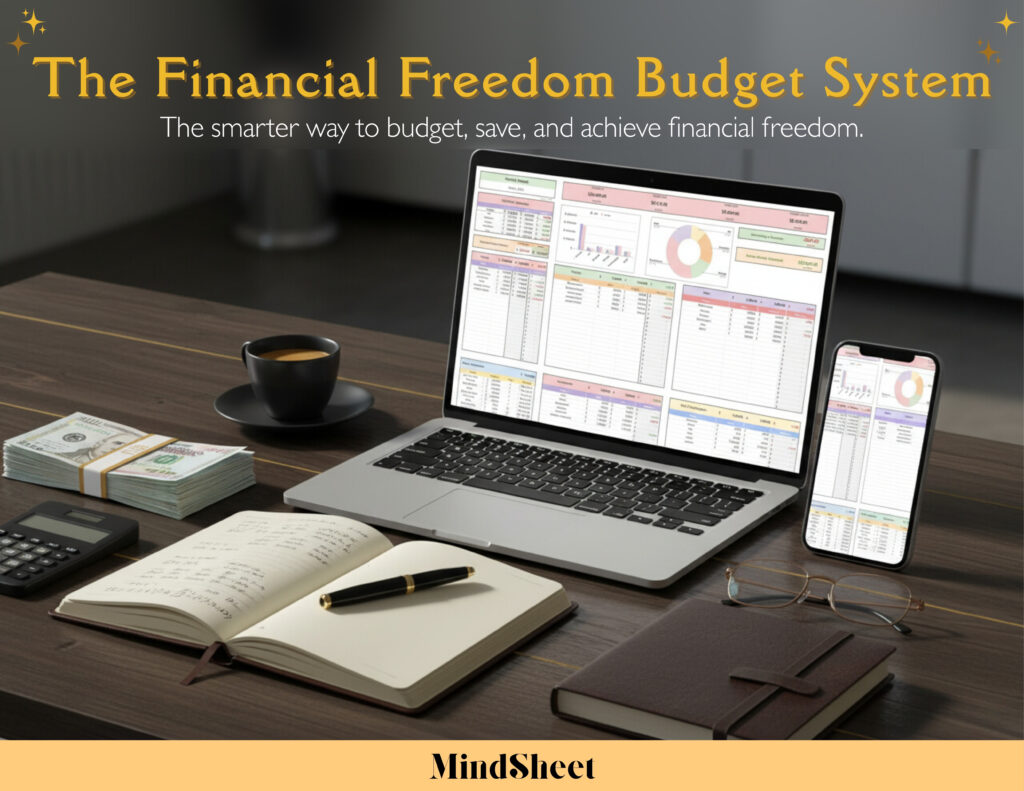
💡 Ready to start saving faster? Explore our Financial Freedom Budget System today — track your spending, build savings, and reach your financial goals with ease!
Every dollar you track is a dollar you control. Every expense you categorize reveals opportunities to save. Every week you review brings you closer to financial freedom. Your future self will thank you for starting today — not tomorrow, not next month, but right now.