
The Only Task Management System You’ll Ever Need
You have seven apps on your phone, three browser tabs always open, sticky notes covering your desk, and a notebook filled with half-finished to-do lists. You’re constantly “getting organized,” yet somehow important deadlines still slip through the cracks. You know you’re capable of more, but your productivity tools have become part of the problem instead of the solution.
Here’s the uncomfortable truth: you don’t have a motivation problem. You have a systems problem. And the solution isn’t downloading another app—it’s finally committing to one central, comprehensive system that actually works.

Why Most Task Systems Fail — and How to Fix It
The productivity industry wants you to believe that the perfect app is just around the corner. So you download it, migrate all your tasks, feel productive for a week, then watch it gather digital dust alongside the others. Why does this cycle keep repeating?
Research from productivity experts reveals three fatal flaws in most task management approaches:
Fragmentation kills clarity. When your work tasks live in Asana, personal errands are in Apple Reminders, and big projects exist in a separate Notion workspace, you can’t see the full picture. You’re constantly context-switching between platforms, wasting mental energy just figuring out where information lives.
Complexity breeds abandonment. Many project management templates promise powerful features but require such steep learning curves that you spend more time managing the system than completing actual work. When tools become burdensome, you stop using them—exactly when you need them most.
Lack of ownership creates dependency. Subscription apps can change, disappear, or price you out. You’re renting your productivity system rather than owning it, which means you’re always one company decision away from starting over.
The fix? A single, customizable task management system that consolidates everything you need without the bloat you don’t. One place for all tasks, all priorities, all deadlines. No subscriptions, no feature creep, no excuses.
The Secret to Staying Focused and Organized
The most productive people aren’t using the fanciest tools—they’re using the most consistent ones. Harvard Business Review research shows that productivity correlates far more strongly with system reliability than with tool sophistication.
A well-designed productivity tracker succeeds by addressing three core needs:
Capture everything in one place. Your brain isn’t meant to be a filing cabinet. When you know that every commitment, idea, and deadline lives in a single trusted system, you free up massive cognitive bandwidth. The anxiety of “am I forgetting something?” disappears, replaced by calm confidence.
Prioritize with clarity. Not all tasks are created equal, yet most to-do lists treat “reply to email” and “finish client proposal” as equally important. Effective task management distinguishes between urgent, important, and can-wait, ensuring you’re always working on what truly moves the needle.
Visualize progress and momentum. Productivity isn’t just about getting things done—it’s about seeing that you’re moving forward. When your task planner spreadsheet shows completed tasks, project timelines, and weekly accomplishments, you build the positive reinforcement that sustains long-term consistency.
Inside the Master Task Manager
The Master Task Manager is built on one simple philosophy: give you everything you need and nothing you don’t. This Google Sheets template combines the best elements of professional project management with the simplicity of a personal checklist.
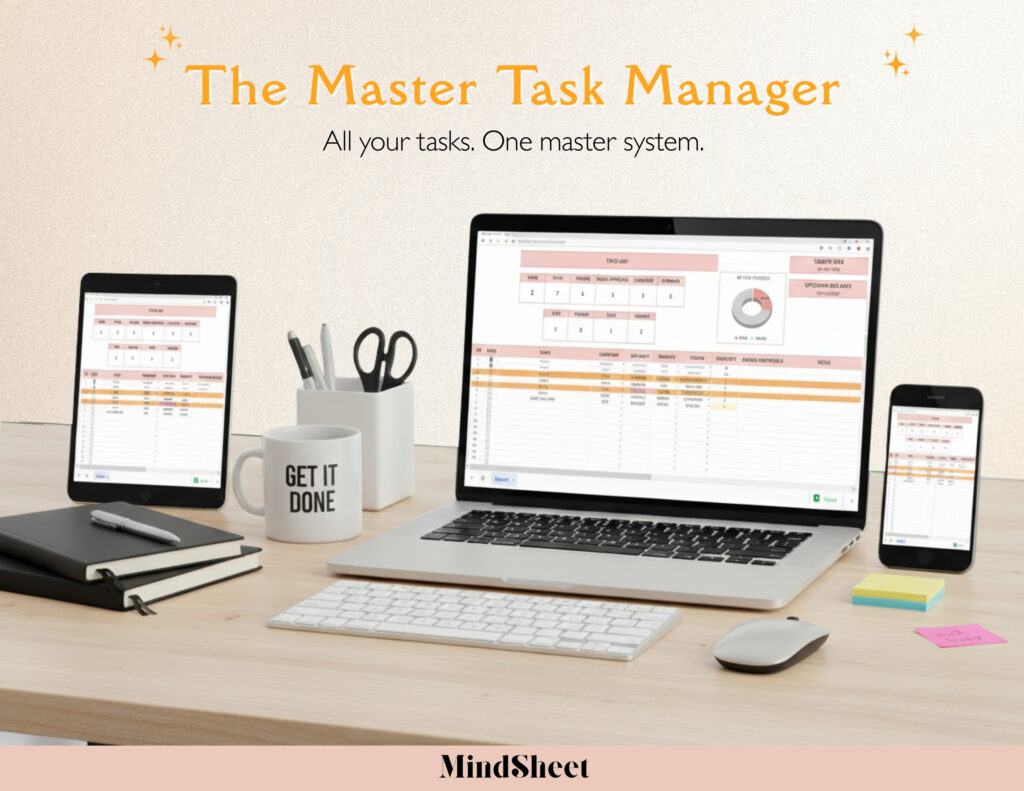
Here’s what makes it different:
Unified Task Dashboard — See all your tasks across personal, professional, and project categories in one glance. No more juggling multiple apps or forgetting what needs attention. Everything visible, everything accessible.
Priority Matrix — Automatically sorts tasks by urgency and importance, so you always know what deserves your focus first. Stop wasting time deciding what to work on and start actually working.
Deadline Tracking with Alerts — Built-in date tracking shows what’s due today, this week, and beyond. Color-coded indicators make it impossible to miss critical deadlines, even during your busiest periods.
Progress Visualization — Track completion rates, identify bottlenecks, and celebrate wins. The system shows you patterns in your productivity, helping you optimize how you work rather than just what you work on.
Fully Customizable Structure — Unlike rigid apps, this task management system adapts to your workflow. Add custom categories, create project-specific views, or adjust layouts to match how your brain works best.
No Learning Curve — If you’ve used a spreadsheet, you’re already 90% of the way there. No tutorials, no onboarding, no feature overload. Open it, customize it, start organizing immediately.
Simplify Your Workflow, Amplify Your Results
Here’s what changes when you finally consolidate your scattered tasks into one authoritative system:
Decision fatigue disappears. You’re not constantly wondering if you captured that thought or where you wrote that deadline. It’s all in one place, searchable and organized.
Follow-through improves dramatically. When you can see the full scope of your commitments, you make better decisions about what to say yes to and what to delegate or decline.
Stress transforms into control. The anxiety of “drowning in tasks” shifts to the satisfaction of “systematically crushing goals.” Same workload, completely different experience.
The most successful professionals, entrepreneurs, and creatives don’t juggle more than you do—they just have better systems for managing it all. A productivity tracker isn’t about working harder; it’s about working with clarity, intention, and confidence.
Stop collecting productivity tools and start using the one system that actually delivers. Your future self—organized, focused, and ahead of deadlines—will thank you.
Frequently Asked Questions
Q: Why use a spreadsheet instead of a dedicated task management app?
A: Spreadsheets offer unmatched flexibility, zero learning curve, and complete ownership. You’re not locked into someone else’s workflow or subscription model. Plus, Google Sheets works offline and syncs across all devices automatically.
Q: Can I use the Master Task Manager for team projects?
A: Absolutely. Share the Google Sheet with collaborators to assign tasks, track progress, and maintain transparency. It works beautifully for small teams, freelancers coordinating with clients, or family project management.
Q: How is this different from just making my own to-do list?
A: The Master Task Manager includes pre-built priority systems, deadline automation, progress tracking, and proven organizational structures that took hundreds of hours to develop. You get professional-grade task management without the design work.
Q: What if I’m already using multiple productivity apps?
A: The beauty of consolidation is that you can migrate gradually. Start by putting all tasks into the Master Task Manager for one week. Most users discover they can eliminate 3-4 apps once they see everything working together in one place.
✅ Take charge of your goals with the Master Task Manager — available now on MindSheet.co.