
Stress-Free Wedding Guest List Management Tips for Google Sheets
Picture this: You’re excitedly planning your dream wedding when suddenly you realize you’ve invited your college roommate twice, forgotten to track who’s vegetarian, and have no idea if Aunt Susan RSVP’d. Sound familiar? Managing a wedding guest list can quickly spiral from exciting to overwhelming, but it doesn’t have to be that way.
The secret to staying sane? A well-organized wedding guest list template that keeps everything in one place. Let’s explore how Google Sheets can transform your wedding planning from chaotic to completely manageable.

Why You Need a Wedding Guest List Template
Your wedding guest list isn’t just names on paper—it’s the foundation of your entire celebration. From venue capacity and budget planning to seating arrangements and meal counts, every decision connects back to who’s attending. Without a proper system, you’re juggling details across sticky notes, text messages, and memory alone.
A dedicated Google Sheets wedding planner centralizes everything. You’ll track invitations, monitor RSVPs in real-time, note dietary restrictions, assign table numbers, and even calculate costs per guest. Plus, since it’s cloud-based, you and your partner can update it simultaneously from anywhere—no more “wait, did you already add them?” confusion.
Getting Started: Setting Up Your Wedding Planning Spreadsheet
The beauty of using a wedding planning spreadsheet is its flexibility and ease of use. Start by creating columns for essential information: guest names, contact details, invitation status, RSVP response, number of attendees in their party, meal preferences, and table assignments.
Here’s how successful couples organize their sheets:
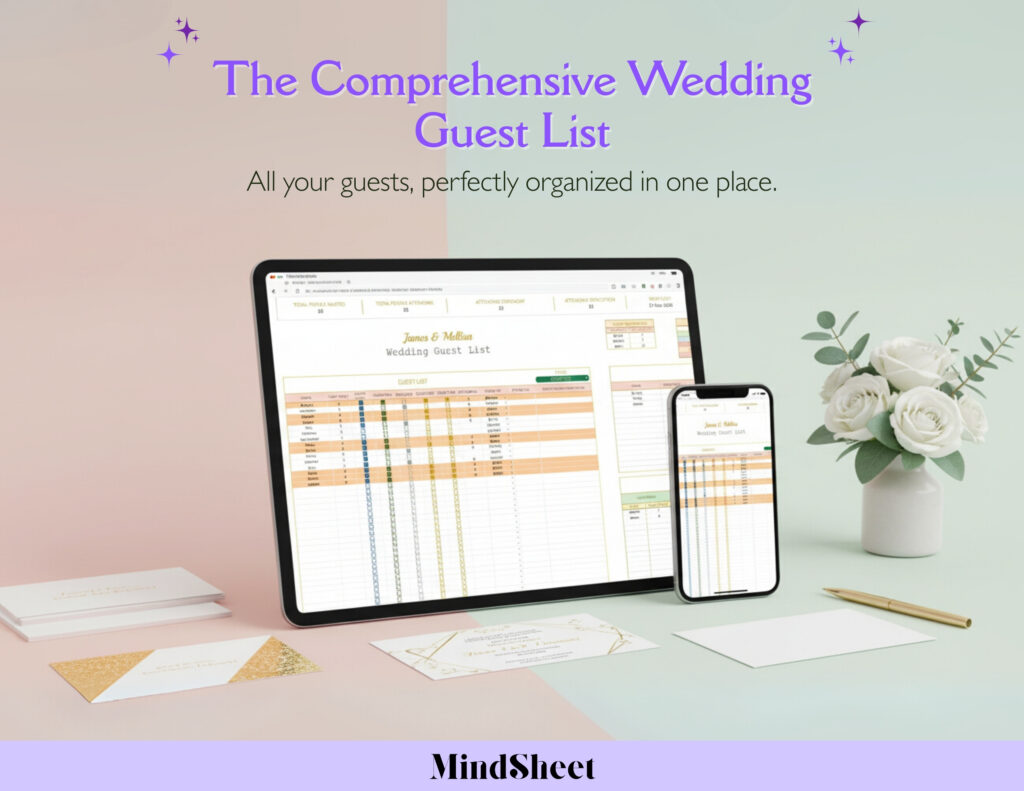
Guest Details Section: Include full names, addresses for invitations, phone numbers, and email addresses. Add a column for relationships (bride’s side, groom’s side, mutual friends) to simplify grouping later.
RSVP Tracking: Create columns for invitation sent date, RSVP deadline, response received (yes/no/maybe), and number of guests attending. Color-code responses—green for confirmed, yellow for pending, red for declined—so you can see your status at a glance.
Special Requirements: Dedicate space for dietary restrictions, accessibility needs, and plus-one details. This prevents last-minute scrambles with your caterer or venue coordinator.
Budget Integration: Add cost-per-guest calculations to stay within budget. Speaking of budgets, pairing your guest list with a free wedding budget calculator helps you see how guest count impacts your overall spending in real-time.
RSVP Tracking Made Easy
Managing RSVPs is notoriously stressful, but an RSVP tracker transforms it into a simple check-the-box task. As responses arrive via mail, text, or phone calls, immediately log them in your sheet. Set up automatic formulas to count total attending guests, which helps with final vendor numbers.
Pro tip: Create a follow-up list for non-responders. Sort your sheet by RSVP date to identify who you need to chase down as your deadline approaches. Many couples managing 300+ guests swear by this method—it’s how they keep track without losing their minds or accidentally leaving people out.
Seating Arrangements Without the Headache
Once RSVPs are in, seating becomes your next challenge. Use your guest list manager to group guests by relationship, then drag and arrange them into tables. Note family dynamics or friend groups to create a comfortable atmosphere. Your spreadsheet becomes a visual seating chart that’s easy to adjust when Cousin Mike suddenly can’t sit near his ex.
Tips for Staying Organized Throughout Wedding Planning
Keep your sheet updated weekly, not daily—constant changes cause stress. Assign one person as the “primary updater” to avoid duplicate entries. Use filters to view specific groups (like “all vegetarians” or “bride’s family only”). Back up your sheet regularly, and consider sharing view-only access with your wedding planner or parents who are helping with coordination.
Most importantly, remember this tool exists to reduce stress, not create more work. A few minutes of maintenance each week prevents hours of panic later.
Frequently Asked Questions
Q: What should I include in my wedding guest list template?
A: Your template should track names, contact information, RSVP status, number of guests attending, meal preferences, seating assignments, and gift tracking. A comprehensive guest list manager helps you see everything at once without switching between multiple documents.
Q: How do I track RSVPs effectively using Google Sheets?
A: Create clear columns for invitation sent date, RSVP deadline, response status, and guest count. Use conditional formatting to color-code responses and set up formulas that automatically calculate your total headcount as responses arrive.
Q: Can multiple people edit a wedding planning spreadsheet simultaneously?
A: Yes! Google Sheets allows real-time collaboration, so you and your partner can both update guest information from different devices. This prevents miscommunication and keeps everyone on the same page.
Q: How does a guest list manager help with wedding budgeting?
A: By tracking your exact guest count and calculating per-person costs, you can see immediately how adding or removing guests affects your budget. This helps you make informed decisions about your final invitation list.
Q: What’s the best way to organize guests in a Google Sheets wedding planner?
A: Group guests by relationship (bride’s side, groom’s side, mutual), priority tier (must-invite, would-like-to-invite, maybe), or table assignments. Use filters and sorting functions to view different segments of your list quickly.
Plan Your Perfect Day, Stress-Free
Your wedding should be filled with joy, not spreadsheet anxiety. With the right organizational tools, you can focus on what matters—celebrating your love story with the people who matter most. A well-maintained guest list keeps you in control, helps you make confident decisions, and ensures nobody gets overlooked.
💍 Ready to simplify your wedding planning? Try our The Comprehensive Wedding Guest List today and plan your big day with zero stress! Your future self (and your sanity) will thank you.