
How to Build a Digital Home Binder with Google Sheets Templates
Do you ever find yourself overwhelmed by endless household tasks, forgetting when you last deep-cleaned the fridge, or losing track of seasonal home maintenance? Sticky notes scattered everywhere, mental to-do lists that never get done, and that nagging feeling you’re forgetting something important. Sound familiar? You’re not alone. Most families struggle to keep their homes running smoothly because they lack a centralized system to track everything. That’s where a digital home binder comes in — a simple, mobile-friendly Google Sheets solution that organizes your entire household in one beautifully structured place.

Why Every Home Needs a Digital Home Binder
Managing a home involves juggling dozens of recurring tasks: daily cleaning, weekly laundry routines, monthly filter changes, and yearly deep-cleaning projects. Without a system, here’s what happens:
Mental Overload – You’re constantly trying to remember what needs to be done and when, creating unnecessary stress.
Missed Tasks – That biannual gutter cleaning? Forgotten until water starts overflowing. The monthly HVAC filter replacement? Skipped for six months.
Inconsistent Family Participation – When household responsibilities aren’t clearly visible, family members don’t know what needs doing.
No Progress Visibility – You work hard but can’t see how much you’ve actually accomplished, making it hard to stay motivated.
A household management system solves these problems by creating one central hub where every task is tracked, progress is visualized, and nothing falls through the cracks.
How a Google Sheets Home Organizer Simplifies Your Life
Unlike paper planners that get lost or apps that require subscriptions, a Google Sheets home organizer gives you everything you need in a free, customizable format:
Complete Task Organization – Track daily chores (dishes, laundry), weekly tasks (bathroom cleaning, meal prep), monthly maintenance (checking smoke detectors), and yearly projects (deep carpet cleaning) — all in organized checklists.
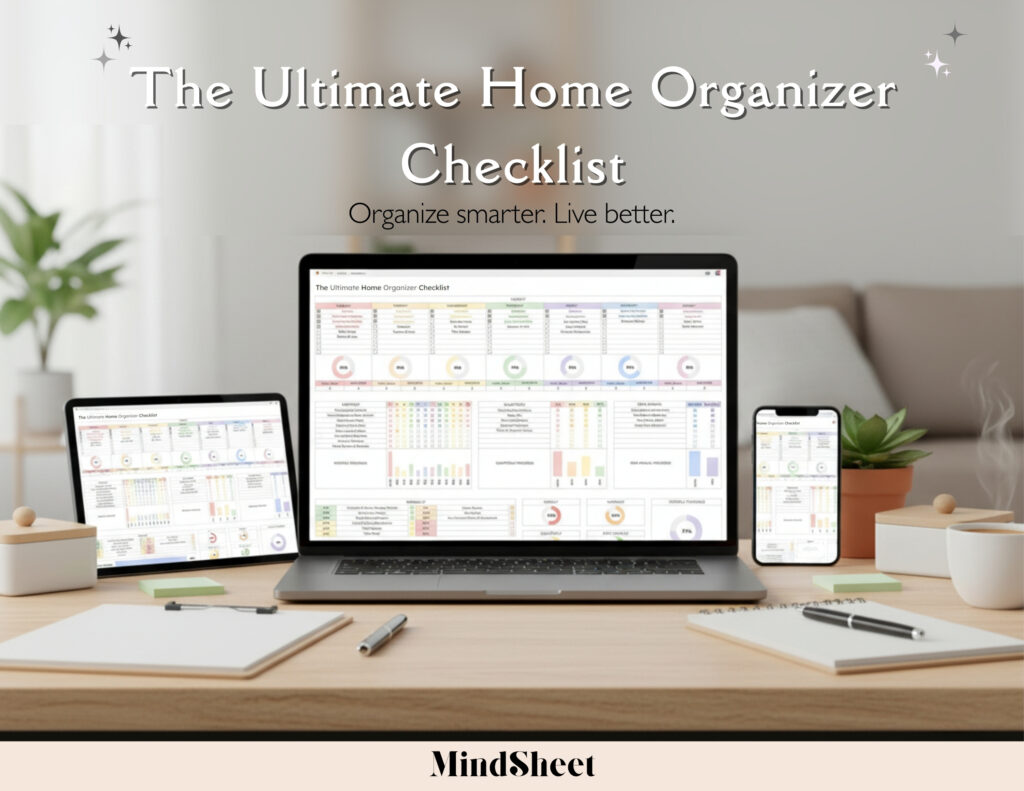
Visual Progress Tracking – Watch your completion rates through automatic bar and pie charts. See exactly how much you’ve accomplished each week or month.
Mobile Access Anywhere – Check your home binder from your phone while grocery shopping or assign tasks to family members from anywhere.
No Paper Clutter – Everything lives in the cloud, accessible forever, never lost under a pile of mail.
Family Collaboration – Share one master binder with everyone in your household. Everyone knows what needs doing and can check off completed tasks in real-time.
Step-by-Step Guide: Build Your Digital Home Binder in Google Sheets
Creating your digital home binder is easier than you think. Here’s how to get started:
Step 1: Set Up Your Task Categories – Create separate sections for daily, weekly, monthly, and yearly tasks. This keeps similar chores grouped together for easy planning.
Step 2: List Your Household Tasks – Under each category, list specific tasks. Daily might include “make beds” and “wipe kitchen counters.” Monthly could include “clean refrigerator” and “test smoke alarms.”
Step 3: Use Built-In Progress Tracking – As you complete tasks, check them off. Your spreadsheet automatically updates bar charts (showing completion percentages) and pie charts (visualizing task distribution) so you can see your progress at a glance.
Step 4: Customize for Your Home – Add or remove tasks based on your specific needs. Apartment dwellers might skip “mow lawn,” while homeowners might add “check gutters.”
Step 5: Set Up Mobile Access – Save the Google Sheets link to your phone’s home screen. Now you can update your home binder in seconds, right after completing a task.
Step 6: Share With Your Family – Click the “Share” button and send the link to family members. Assign specific tasks to different people and track who’s completing what.
Real-life example: The Martinez family struggled with uneven chore distribution until they implemented a household management system. Now their teenage kids check off their weekly tasks independently, and the visual progress charts have turned cleaning into a friendly competition. The parents can see at a glance what’s been done without nagging anyone.
Smart Tips to Keep Your Home Binder Updated and Useful
Schedule Weekly Check-Ins – Every Sunday evening, review what got done and plan the week ahead. Reset your weekly task checklist for a fresh start.
Use Color Coding – Highlight overdue tasks in red or urgent items in yellow. Visual cues help prioritize what needs immediate attention.
Celebrate Completion Rates – When your monthly progress chart shows 90%+ completion, reward yourself or your family. Positive reinforcement builds lasting habits.
Start Small – Don’t list every possible household task on day one. Begin with your top 10 most important recurring tasks, then expand as the system becomes routine.
Link to Other Templates – Your home binder is the hub, but link out to specialized Google Sheets for finances or detailed project tracking when needed. Keep everything connected in one ecosystem.
Review Seasonally – Every three months, audit your task lists. Remove tasks that no longer apply and add new ones based on changing seasons or household needs.
FAQs
Q: What is a digital home binder and how does it work?
A: A digital home binder is a centralized Google Sheets system that organizes all your household tasks — daily, weekly, monthly, and yearly chores — with built-in progress tracking through charts. Check off tasks as you complete them and watch your progress visualize automatically.
Q: Can I use this Google Sheets home organizer on my phone?
A: Absolutely! Google Sheets works perfectly on mobile devices. Open the app or use your mobile browser to access your home binder anywhere. Update tasks while you’re cleaning or check what needs doing while you’re out running errands.
Q: How do I customize the home management spreadsheet for my needs?
A: Simply add or delete rows for tasks specific to your household. Rent an apartment? Remove lawn care tasks. Have pets? Add grooming reminders. The template is fully customizable to match your unique home.
Q: Can multiple family members access the household management system?
A: Yes! Google Sheets makes collaboration easy. Share your binder with everyone in your household. Each person can check off their completed tasks, and everyone sees real-time updates. No more “Did you do that?” conversations.
Q: What sections should I include in my digital home binder?
A: Your home management spreadsheet should include four core sections: Daily Tasks (things done every day), Weekly Tasks (recurring weekly chores), Monthly Tasks (maintenance done each month), and Yearly Tasks (seasonal deep-cleaning and maintenance). This structure ensures nothing gets overlooked.
Transform Your Home Management Today
Stop feeling overwhelmed by scattered to-do lists and forgotten tasks. A well-organized household doesn’t require more time — it requires a better system.
🏠 Start organizing your life today with our Ultimate Home Organizer Checklist — your all-in-one digital system to manage chores, track progress, and bring calm to your household — all from your phone!
When every family member knows what needs doing and you can see your progress visualized in real-time, home management stops feeling like an endless burden and starts feeling achievable. Your organized, stress-free home is just one spreadsheet away.