

Final Hours to Save:
-- : -- : --

How to Manage All Your Life Tasks in One Google Sheet

How to Manage All Your Life Tasks in One Google Sheet

Sticky notes on your desk. Reminders in your phone. A notebook for work projects. Another app for personal goals. An email folder for “things to handle later.” Sound familiar?

The average person juggles 3-5 different task management systems—and the mental overhead of checking multiple places is exhausting. You’re not disorganized; you’re just spread too thin across too many tools. The solution isn’t another app with a learning curve and monthly subscription. It’s simpler than that: one Google Sheet that becomes your central command center for everything.

Whether you’re managing work projects, household chores, side hustles, or personal goals, consolidating everything into a single task tracker sheet eliminates the chaos and gives you complete clarity on what matters most.

Why One Sheet Can Simplify Your Entire Life

The power of centralization can’t be overstated. When all your tasks live in one place, magic happens:

Clarity Over Chaos: No more wondering “Did I write that down somewhere?” One glance at your master sheet shows everything on your plate—work deadlines, family commitments, personal projects, and daily errands all visible together.

Prioritization Becomes Obvious: When work tasks and life tasks coexist in the same view, you can actually prioritize realistically. That urgent client deliverable and your kid’s school permission slip both get the attention they deserve.

Progress You Can See: Completing tasks and watching your sheet update creates tangible momentum. Color-coded progress bars, completion checkboxes, and status trackers transform abstract productivity into visible achievement.

Context Switching Eliminated: Stop opening five apps to check five different lists. Your brain stays focused, and you waste zero mental energy remembering which tool holds what information.

Flexibility Without Limits: Unlike rigid task apps with fixed categories, Google Sheets adapts to your life. Create custom sections for work projects, home renovations, meal planning, or learning goals—all formatted exactly how your brain works best.

How to Set Up Your Task System (Step-by-Step)

Building your personal task organizer from scratch is absolutely possible. Here’s the framework that transforms an empty spreadsheet into your life management hub:

Step 1: Create Your Master Task List
Start with core columns: Task Name, Category, Priority, Due Date, Status, and Notes. This becomes your brain dump—everything you need to do, want to do, or might do eventually.

Step 2: Add Category Filtering
Use data validation to create dropdown menus for categories like Work, Personal, Home, Health, Finance, and Projects. Color-code these categories with conditional formatting so you can scan visually.

Step 3: Build Priority Logic
Create High/Medium/Low priority options, then add a formula that highlights overdue high-priority items in red. Use this formula: =AND(E2<TODAY(), C2="High", D2<>"Complete") where column E is due date, C is priority, and D is status.

Step 4: Design Project-Specific Tabs
For complex projects, create dedicated sheets linked to your master list. Break large goals into subtasks with their own timelines and milestones. Use formulas to pull completion percentages back to your overview tab.

Step 5: Add Progress Tracking
Include columns for Start Date, End Date, and Percentage Complete. Create a simple progress bar using data bars or conditional formatting that shows 0% to 100% completion visually.

Step 6: Build a Weekly Focus Section
Add a dedicated area for your top 3-5 priorities this week. This narrows your focus from the overwhelming master list to what actually matters right now.

Setting up this system typically takes 3-4 hours, plus ongoing tweaking as you discover what works for your workflow. But there’s a faster way to get the organizational benefits without the setup headache.

Or Use the Master Task Manager — Done for You

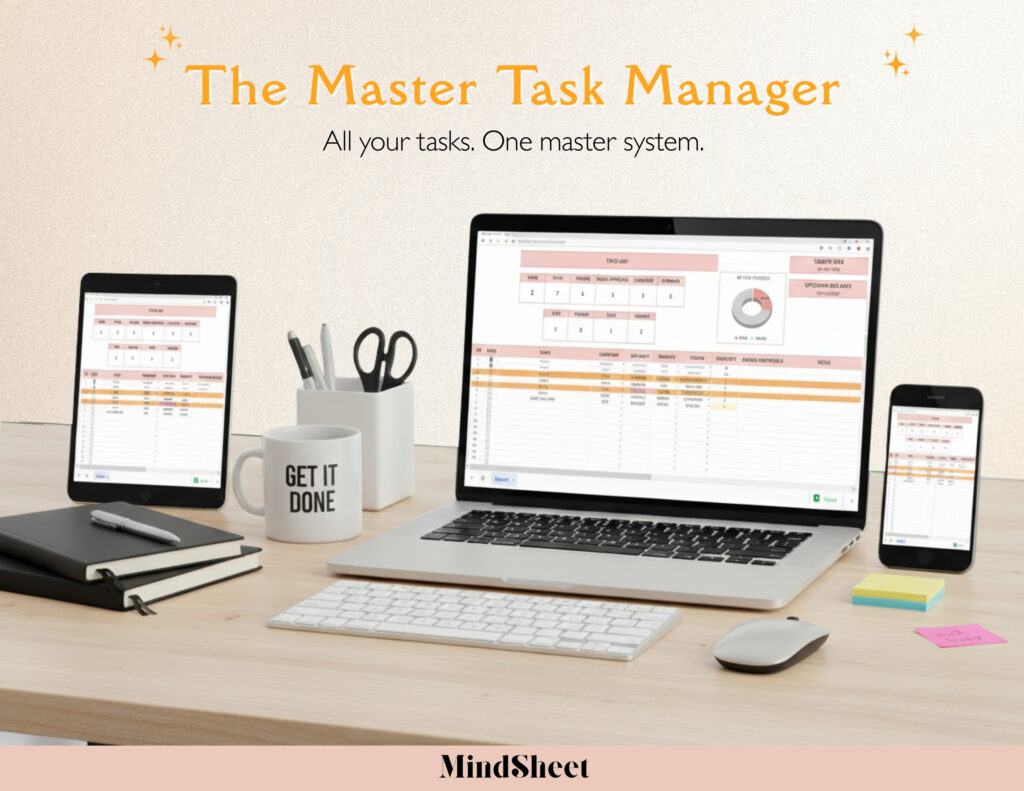
Why build from scratch when proven systems already exist? The Master Task Manager is a professionally designed Google Sheets template that gives you enterprise-level task organization for just $18.

This comprehensive task tracker sheet includes:

  • Pre-configured master dashboard with automatic priority sorting and overdue alerts
  • Category-based filtering that lets you view work tasks, personal tasks, or everything at once
  • Project breakdown tabs with subtask tracking and progress calculations
  • Smart formulas that automatically update completion percentages and highlight urgent items
  • Weekly planning section to focus on what matters most
  • Habit tracking integration for goals that require consistency
  • Mobile-optimized layout that works perfectly on phones

Simply make a copy, start adding your tasks, and experience the relief of having everything organized instantly. No spreadsheet expertise required—just type and let the template handle the rest.

This personal task planner has transformed productivity for busy professionals, parents juggling multiple responsibilities, and anyone tired of feeling overwhelmed by scattered to-do lists. As one user put it: “I finally feel like I’m in control of my life instead of constantly reacting to whatever screams loudest.”

Start Managing Smarter Today

The difference between feeling overwhelmed and feeling in control often comes down to systems. When you consolidate all your tasks into one intelligent project management spreadsheet, you stop dropping balls, missing deadlines, and carrying the mental burden of “what am I forgetting?”

You’ll start each day knowing exactly what needs attention. You’ll finish each week with a clear record of what you accomplished. And you’ll finally have the peace of mind that comes from seeing your entire life’s responsibilities organized in one trustworthy place.

The goal isn’t perfection—it’s progress. A simple Google Sheet becomes your productivity partner, quietly keeping track so your brain doesn’t have to.


Frequently Asked Questions

How do I prevent my master task sheet from becoming overwhelming?
Use filtering and category views to show only relevant tasks. Archive completed items to a separate “Done” tab monthly. Focus on your weekly priorities section rather than staring at the entire master list.

Can I share specific tasks with family or team members?
Yes! Share your Google Sheet with view or edit access. Use protected ranges to keep personal tasks private while sharing work or household sections. Everyone stays aligned without separate tools.

What’s the best way to handle recurring tasks?
Create a separate tab for recurring items (weekly groceries, monthly bills) and use checkboxes that reset. Or duplicate tasks in your master list with future due dates already scheduled.

How do I sync this with my phone for on-the-go access?
Download the Google Sheets app and pin your task manager for instant access. Enable offline mode so you can view and update tasks without internet. Changes sync automatically when you’re back online.


📋 Get the Master Task Manager today—the easiest way to organize your whole life in one Google Sheet.


2 comments

    Honestly, 69win15 has been kinda quiet, but in a good way. Clean interface, no annoying pop-ups, just a decent place to play if you want a simple experience. : 69win15

    Yo check out bongdalu6789, heard it was the place to be for the latest sports info. Let me know if it’s worth my time! bongdalu6789

Leave a Reply

Shopping cart

0
✨ Just $50.00 more to get $10 OFF your order! Use code EASY10 at checkout — it’s like a free template in your cart! ✅
image/svg+xml

No products in the cart.

Continue Shopping