
How to Plan a Vacation in Google Sheets (The Best Travel Planner Template)
Planning a vacation should be exciting, not overwhelming. Between juggling flight times, hotel confirmations, daily itineraries, and budget tracking, trip planning can quickly turn into a chaotic mess of scattered notes and forgotten bookings. Enter Google Sheets—the surprisingly powerful tool that transforms vacation planning from stressful to seamless.
Whether you’re organizing a weekend getaway or a month-long adventure, a well-designed travel planner spreadsheet keeps everything you need in one organized, shareable, and accessible place. Let’s explore why Google Sheets is your new travel planning companion and how you can create (or instantly download) the perfect vacation planner.

How to Plan a Vacation in Google Sheets (The Best Travel Planner Template)
Planning a vacation should be exciting, not overwhelming. Between juggling flight times, hotel confirmations, daily itineraries, and budget tracking, trip planning can quickly turn into a chaotic mess of scattered notes and forgotten bookings. Enter Google Sheets—the surprisingly powerful tool that transforms vacation planning from stressful to seamless.
Whether you’re organizing a weekend getaway or a month-long adventure, a well-designed travel planner spreadsheet keeps everything you need in one organized, shareable, and accessible place. Let’s explore why Google Sheets is your new travel planning companion and how you can create (or instantly download) the perfect vacation planner.
Why Google Sheets Is the Perfect Trip Planner
Google Sheets isn’t just for budgets and data—it’s a travel planning powerhouse. Here’s why savvy travelers are ditching apps and paper notebooks for spreadsheets:
Access Anywhere, Anytime: Your itinerary lives in the cloud. Check your flight details from the airport, review restaurant reservations from your hotel, or share accommodation info with travel companions—all from any device.
Customization Freedom: Unlike rigid travel apps, Google Sheets adapts to your unique travel style. Add sections for packing lists, budget breakdowns, emergency contacts, or daily activity schedules exactly how you want them.
Collaboration Made Easy: Planning with friends or family? Share your sheet with one click. Everyone can add suggestions, track shared expenses, and stay on the same page—literally.
Powerful Automation: Smart formulas automatically calculate your total trip costs, count down days until departure, and even organize your schedule chronologically. No manual math required.
How to Create Your Own Travel Planner (Step-by-Step)
Ready to build your custom trip planning sheet? Follow these steps to create a vacation planner that works for you:
Step 1: Set Up Your Master Overview Tab
Start with a dashboard that includes trip dates, destination, travelers, total budget, and quick links to important documents. This becomes your command center.
Step 2: Create a Flight & Transportation Sheet
Track confirmation numbers, departure/arrival times, terminal info, and airline contact details. Use data validation to create dropdown menus for airlines and airports you frequently use.
Step 3: Build an Accommodation Tracker
Log hotel names, addresses, check-in/check-out dates, confirmation codes, and nightly rates. Add a SUM formula to automatically calculate your total lodging costs.
Step 4: Design Your Daily Itinerary
Create columns for date, time, activity, location, cost, and notes. Use conditional formatting to color-code activities by type (sightseeing, dining, relaxation) for visual clarity.
Step 5: Add a Budget Breakdown
List expense categories (flights, hotels, food, activities, shopping) with estimated and actual costs. Include a formula that shows remaining budget in real-time: =TotalBudget-SUM(ActualCosts).
Step 6: Include Essential Lists
Add tabs for packing checklists, important contacts, and document copies (passport numbers, travel insurance details). Use checkboxes for packing items you can tick off as you go.
Building a comprehensive vacation itinerary template from scratch takes time—usually 2-3 hours of setup, formula troubleshooting, and formatting. That’s where shortcuts become game-changers.
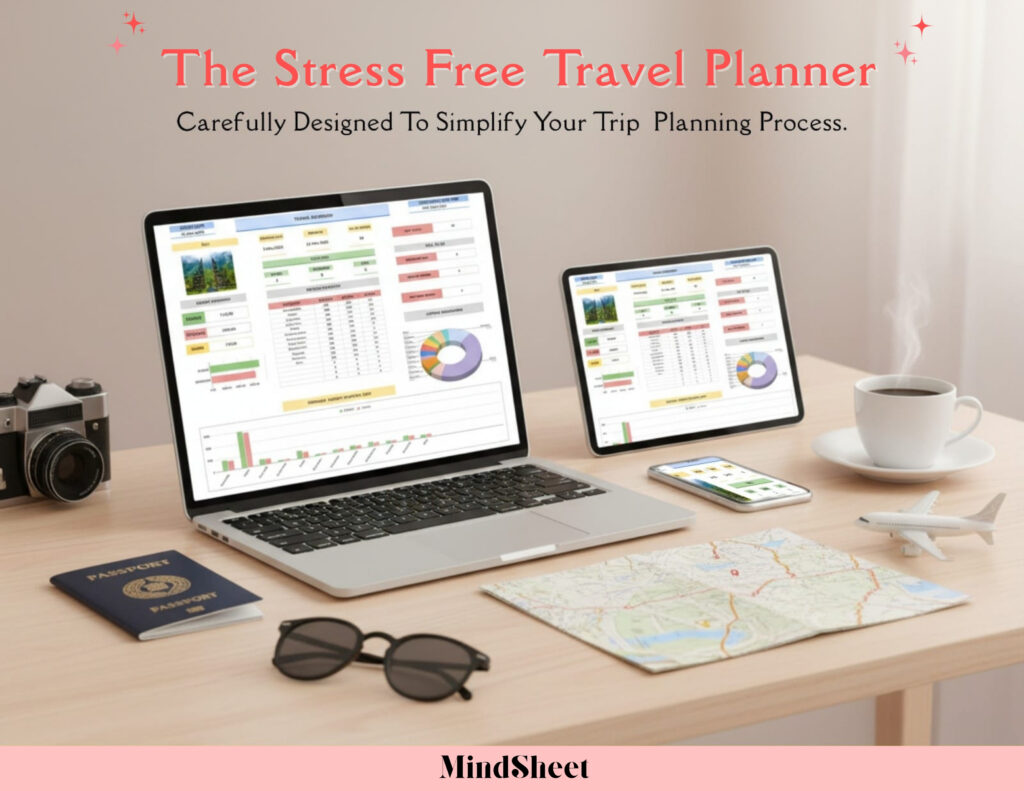
Or Save Time with the Stress-Free Travel Planner
Why spend hours building what’s already been perfected? The Stress-Free Travel Planner is a premium Google Sheets template designed by travel enthusiasts for travelers who want organization without the setup hassle.
This ready-to-use travel planner spreadsheet includes:
- Pre-built tabs for flights, accommodations, daily itineraries, packing lists, and budget tracking
- Smart formulas that automatically calculate costs, days until departure, and budget remaining
- Professional design with color-coding, conditional formatting, and intuitive layouts
- Customizable sections that adapt to solo trips, family vacations, or group adventures
- Mobile-friendly format that looks great on phones and tablets
Simply make a copy, plug in your trip details, and you’re ready to travel smarter. No formula knowledge needed, no design skills required—just instant organization for $39.
The trip planning sheet has helped hundreds of travelers eliminate pre-trip anxiety and enjoy more organized, budget-conscious adventures. One user called it “the only vacation planning tool I’ll ever need.”
Plan Every Trip Like a Pro
Whether you build your own spreadsheet or grab a proven template, using Google Sheets for vacation planning transforms how you travel. You’ll stop forgetting confirmation numbers, wondering where your budget went, or frantically searching emails for hotel addresses.
The beauty of a digital vacation itinerary template is its flexibility—use it for quick weekend trips or complex international adventures. Customize it for business travel or family road trips. Save it as your master template and duplicate it for every future journey.
Travel planning shouldn’t feel like a second job. With the right system, you’ll spend less time organizing and more time anticipating the experiences ahead.
Frequently Asked Questions
Can I use Google Sheets offline to access my travel planner?
Yes! Enable offline mode in Google Drive settings, and you can view and edit your spreadsheet without internet—perfect for flights or areas with limited connectivity.
How do I share my trip planner with travel companions?
Click the “Share” button in the top-right corner of your Google Sheet, add email addresses, and choose whether others can edit or just view. Everyone stays updated in real-time.
Can I protect certain sections of my travel spreadsheet?
Absolutely. Right-click any sheet tab or cell range, select “Protect range,” and set permissions. This prevents accidental changes to important details like confirmation numbers.
Does a travel planner template work for international trips?
Yes! Include tabs for passport/visa details, currency conversion rates, time zone differences, and international emergency contacts. The Stress-Free Travel Planner has dedicated sections for all of this.
🌴 Start planning your dream trip with the Stress-Free Travel Planner—your all-in-one Google Sheets travel assistant.