
Google Sheets Hacks to Skyrocket Your Productivity
If you think Google Sheets is just for budgets and data analysis, you’re missing out on one of the most powerful productivity tools available — and it’s completely free.
While everyone’s chasing the latest productivity app with monthly subscriptions and learning curves, savvy professionals are using Google Sheets to build custom systems that actually work for their unique workflows. No limitations, no paywalls, just pure organizational power at your fingertips.
Today, I’m sharing the game-changing hacks that productivity experts use to transform Google Sheets into the ultimate command center for their goals, tasks, and daily routines.

Why Google Sheets Is the Secret Productivity Weapon
Google Sheets might seem basic, but that’s exactly what makes it brilliant for productivity. Here’s why it outperforms most dedicated productivity apps:
Total customization. Unlike rigid apps that force you into their system, Sheets adapts to how you actually work. Morning person? Night owl? Visual thinker? Data lover? Build it your way.
Zero friction. It’s already in your Google account. No downloads, no new platforms to learn, no switching between apps. Your productivity system lives where you already work.
Automation capabilities. With formulas and conditional formatting, you can create a productivity dashboard that updates automatically, saving you hours of manual tracking.
Accessibility everywhere. Desktop, mobile, tablet — your system syncs instantly across all devices. Plan your day on your phone during your commute, then execute on your laptop.
The best part? You can start simple and scale up as your needs evolve. Let’s dive into the hacks that will transform how you use Google Sheets.
5 Genius Google Sheets Productivity Hacks You Need to Try
Hack #1: Build a Dynamic To-Do List That Prioritizes Itself
Stop using static task lists. Create a smart system that automatically highlights your most important tasks.
How it works:
Set up columns for Task, Priority (1-3), Deadline, and Status. Use conditional formatting to color-code based on urgency:
- Red for overdue tasks
- Orange for tasks due today
- Yellow for high-priority items
Add this formula to auto-calculate days until deadline:=IF(C2<>"", C2-TODAY(), "")
This creates a living document that shows you exactly what needs attention right now.
Hack #2: Create a Time-Blocking Template for Perfect Days
Time-blocking is proven to boost productivity by 80%, but most people abandon it because it’s tedious. Automate it with Google Sheets.
The system:
Create a weekly grid with hourly blocks from 6 AM to 10 PM. Use data validation dropdowns for common activities (Deep Work, Meetings, Email, Break, Personal). Color-code each category automatically using conditional formatting.
Pro tip: Add a “% Progress” column that calculates how much of your day went to planned vs. unplanned work. This insight alone will revolutionize your scheduling.
Hack #3: Automate Your Daily Planning
One of the most powerful features of a daily planner spreadsheet is automated date generation. Never manually update dates again.
The formula:
Use =TODAY() to always show today’s date, then build your daily sections around it. For a weekly view, use:=TODAY()+1, =TODAY()+2, etc.
Combine this with =TEXT(TODAY(), "dddd") to automatically display the day of the week. Your planner updates itself every single day without you lifting a finger.
Hack #4: Track Your Goals Visually with Progress Bars
Numbers are boring. Visual progress is motivating. Turn your goal tracking into a visual dashboard that makes you excited to update.
Create stunning progress bars:
Let’s say your goal is in cell B2 and your current progress is in C2. In another cell, use:=REPT("█", C2/B2*20)
This creates a visual bar that fills up as you progress. Pair it with conditional formatting that changes color as you hit milestones (25%, 50%, 75%, 100%).
Add sparklines to show trends over time:=SPARKLINE(A2:A30)
This mini-graph shows your productivity patterns at a glance — incredibly powerful for habit tracking.
Hack #5: Build a Weekly Review Dashboard
High performers don’t just plan — they review. Create a dashboard that auto-calculates your productivity metrics.
Key metrics to track:
- Tasks completed vs. planned
- Hours in deep work
- Goals achieved this week
- Top 3 wins
Use formulas like =COUNTIF() to automatically count completed tasks and =AVERAGE() to track your consistency over weeks. When you see the data, you make better decisions.
Upgrade to the All-in-One Productivity Hub
Now, here’s the truth: while you could build all these systems from scratch, it would take hours of setup, formula testing, and design work.
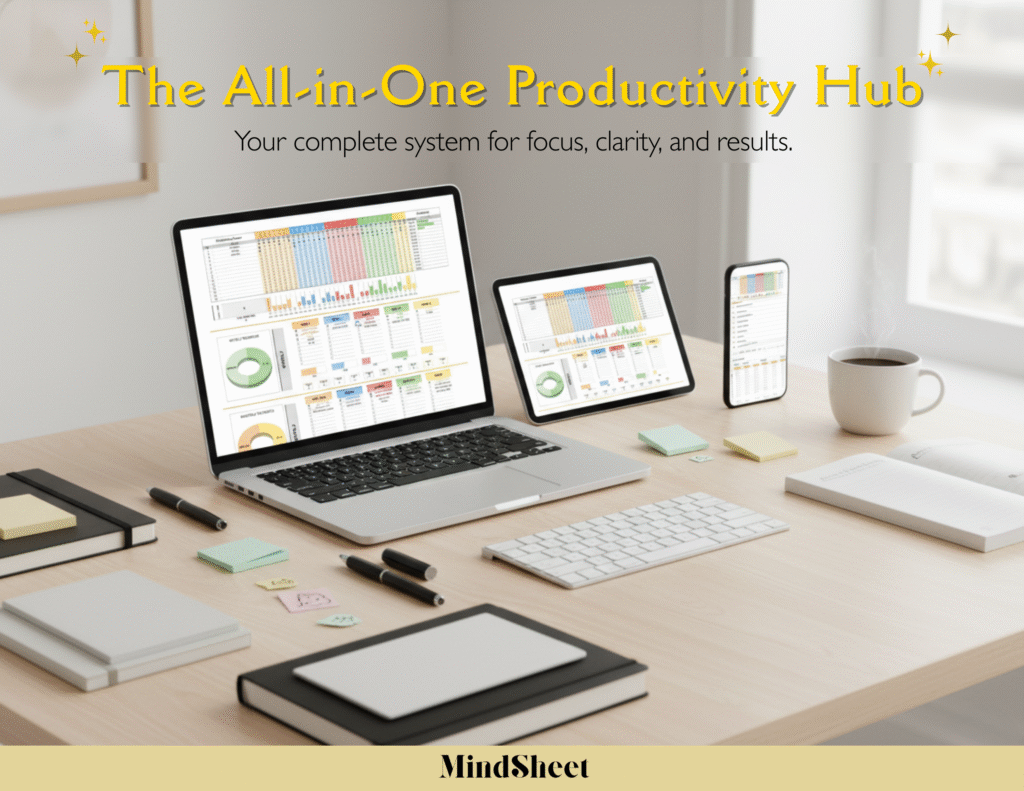
That’s exactly why I created The All-in-One Productivity Hub — a premium google sheets productivity tool that gives you everything in one beautiful, ready-to-use template.
Inside, you get:
- ✅ Pre-built productivity dashboard with automatic date updates
- ✅ Daily, weekly, and monthly planning sections
- ✅ Goal tracker with visual progress bars
- ✅ Time-blocking templates for perfect scheduling
- ✅ Habit tracker with streak counters
- ✅ Weekly review framework
- ✅ All formulas and conditional formatting done for you
For just $29, you get instant access to a system that took me months to perfect. No setup required — just make a copy and start organizing your life today.
Start Organizing Smarter Today
Google Sheets isn’t just a spreadsheet tool — it’s a productivity powerhouse waiting to be unleashed. Whether you’re managing a business, tracking personal goals, or just trying to feel more in control of your days, these hacks will transform how you work.
You can absolutely build these systems yourself using the hacks above. But if you want to skip the trial and error and jump straight to peak productivity, the All-in-One Productivity Hub is your shortcut.
Imagine opening one tab every morning and seeing your entire life organized: today’s priorities, this week’s goals, your progress on big projects, and a clear plan for the hours ahead. That’s the power of a well-designed google sheets planner.
✨ Get your All-in-One Productivity Hub today and make every day productive — only on MindSheet.co.
👉 Click here to unlock peak productivity
Your most organized, productive self is just one click away.
Frequently Asked Questions
Q: Can Google Sheets really replace productivity apps like Notion or Asana?
A: Absolutely! While dedicated apps have their place, Google Sheets offers unmatched flexibility and customization for personal productivity. A well-designed daily planner spreadsheet can handle task management, goal tracking, and time-blocking without monthly subscription fees. The key is setting it up with the right formulas and automation — which is exactly what the All-in-One Productivity Hub provides.
Q: What makes Google Sheets better for productivity than Excel?
A: Google Sheets wins for productivity because of cloud syncing, real-time collaboration, and accessibility across all devices. You can update your productivity dashboard on your phone, tablet, or computer, and changes sync instantly. Plus, it’s free and doesn’t require software installation. For productivity tracking, these advantages outweigh Excel’s slightly more powerful features.
Q: How much time does it take to maintain a Google Sheets productivity system?
A: With proper setup and automation, you can maintain a comprehensive google sheets productivity system in just 5-10 minutes per day. Morning planning takes 3-5 minutes, end-of-day review takes 2-3 minutes, and a weekly review takes about 15 minutes. The time you save from being organized far exceeds this small daily investment.
Q: Do I need to know formulas to use Google Sheets for productivity?
A: Not if you use a pre-made template! While knowing basic formulas like SUM, IF, and COUNTIF helps customize your system, a ready-made google sheets planner like the All-in-One Productivity Hub comes with all formulas pre-built. You just fill in your tasks, goals, and plans — the automation happens behind the scenes.
Ready to transform your productivity?
Stop juggling multiple apps and scattered notes. Get everything you need in one powerful, beautiful Google Sheets system.
👉 Get The All-in-One Productivity Hub for $29 and start your most productive chapter today.