
How I Saved $5,000 in 3 Months Using This Google Sheet
Three months ago, I was living paycheck to paycheck, wondering where all my money went each month. Today, I have $5,000 in my savings account, and it all started with a simple save money spreadsheet that completely transformed my relationship with money.
Let me share exactly how I did it—and how you can too.
The Wake-Up Call
It was a random Tuesday when I checked my bank account and realized I had $127 to last until the end of the month. I earned a decent salary, but somehow, money just disappeared. I knew I needed to make a change, but traditional budgeting apps felt overwhelming and disconnected from my actual spending habits.
That’s when I discovered the power of using a dedicated budget planner sheet. Unlike apps that required constant syncing and subscriptions, this was something I could customize, control, and actually understand.

My 3-Month Money-Saving Journey: Step by Step
Month 1: Getting Real About My Spending
The first step was brutal honesty. I spent the first week tracking every single expense in my financial tracker. Coffee? $4.50. Impulse Amazon purchase? $32. Subscription I forgot about? $9.99.
By the end of week one, I had a complete picture of where my money was going. The results were shocking—I was spending $400 a month on takeout alone.
Action taken: I set up categories in my spreadsheet: necessities, savings, and discretionary spending. I allocated 50% to needs, 30% to wants, and 20% to savings.
Result: Saved $1,200 in the first month by cutting unnecessary subscriptions and meal prepping.
Month 2: Automating and Optimizing
With my baseline established, I focused on optimization. I used my spreadsheet to identify patterns—like spending more on weekends—and created strategies to combat them.
Action taken: I automated my savings by setting up a direct deposit of $400 every payday into a separate account. My spreadsheet helped me calculate exactly how much I could afford to save without feeling deprived.
Result: Another $1,600 saved, plus I negotiated my car insurance down by $50/month after using my tracker to realize how much I was overpaying.
Month 3: Building Momentum
By month three, budgeting became second nature. I checked my spreadsheet every Sunday, adjusted my spending categories based on upcoming expenses, and actually looked forward to watching my savings grow.
Action taken: I challenged myself to have “no-spend” days twice a week and tracked them in my sheet. I also started a side hustle and immediately allocated 100% of that income to savings.
Result: $2,200 saved this month, bringing my total to $5,000.
5 Game-Changing Lessons I Learned
Visibility is everything. You can’t change what you don’t track. Having a visual representation of my finances made all the difference.
Small leaks sink ships. Those $5 coffees and $10 lunches added up to thousands over three months.
Automate your savings first. Pay yourself before you pay anyone else. My spreadsheet helped me calculate the perfect amount.
Progress is motivating. Watching the numbers grow in my savings column became addictive in the best way.
Flexibility matters. Life happens. My spreadsheet let me adjust categories when unexpected expenses came up without derailing my entire plan.
If you’re curious about how long it might take you to achieve your financial goals, try this financial freedom calculator to get a personalized timeline based on your current situation.
Your Turn to Save $5,000+
The truth? Anyone can do this. You don’t need to be a finance expert or earn six figures. You just need the right system and the commitment to stick with it.
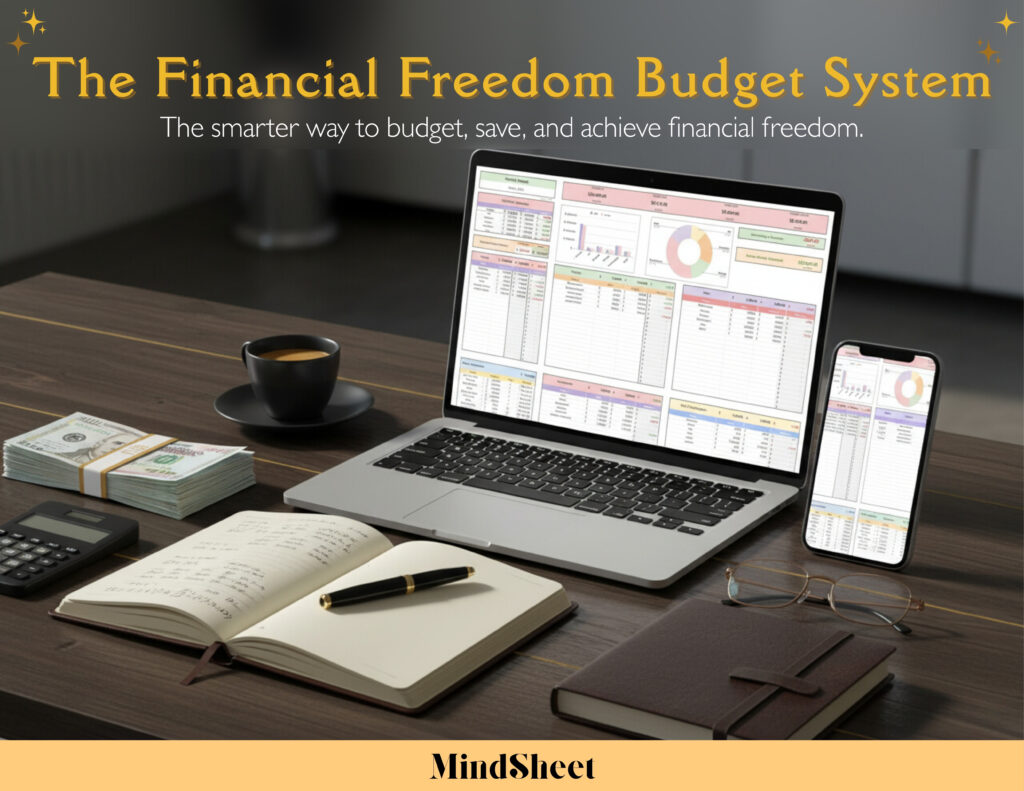
That budget planner sheet I mentioned? It’s called The Financial Freedom Budget, and for just $20, you get the exact framework I used to save $5,000 in three months. It includes pre-built categories, automated calculations, and a clear visual dashboard that makes budgeting actually enjoyable.
Stop wondering where your money goes. Start telling it where to go instead.
Frequently Asked Questions
Q: Can I really save $5,000 in 3 months with a spreadsheet?
A: Yes! The key is having a structured system that tracks every dollar. A good save money spreadsheet helps you identify spending leaks and automate your savings goals. Your actual savings will depend on your income and current expenses, but most people find they can save 15-20% of their income when they track consistently.
Q: What’s the best budgeting method for beginners?
A: The 50/30/20 rule is perfect for beginners: 50% for needs, 30% for wants, and 20% for savings. Using a financial tracker makes this incredibly easy to implement and adjust as your situation changes.
Q: How often should I update my budget spreadsheet?
A: Update your budget planner sheet at least weekly, ideally every Sunday. Daily tracking of expenses is best for the first month until it becomes a habit. Most people spend just 10-15 minutes per week once they’re in a routine.
Q: What if I’ve never used a spreadsheet for budgeting before?
A: Pre-made templates are perfect for beginners because they eliminate the guesswork. You simply input your income and expenses, and the formulas do the calculations automatically. No spreadsheet expertise required!
Q: Can a spreadsheet really beat budgeting apps?
A: Absolutely. While apps are convenient, spreadsheets offer complete customization, no subscription fees, and you own your data forever. Plus, manually entering data creates more awareness of your spending habits, which leads to better financial decisions.
Ready to Transform Your Finances?
Get The Financial Freedom Budget System for just $20 and start your own $5,000 savings journey today.
👉 Click here to get instant access
Your future self will thank you for taking action today.